
Binary to ASCII
Professional Converter
Binary Input
0
0
✓
ASCII Output
0
0
0
Batch Convert
ASCII Map
History
No conversions yet
7 Powerful Binary to ASCII Converter Tips – Decode Binary Fast
What is a Binary to ASCII Converter?
A Binary to ASCII Converter is an online tool that converts binary numbers (strings made up of only 0s and 1s) into readable ASCII text. Since computers understand binary language while humans communicate using letters, numbers, and symbols, this conversion makes machine-readable data understandable for people.
Whether you’re a student learning computer science, a software developer debugging binary data, or someone curious about how computers store information, a Binary to ASCII Converter is one of the most useful tools available.
Our free online Binary to ASCII Converter instantly translates binary code into readable text without requiring downloads, registration, or technical knowledge.
Understanding Binary Numbers
Binary is the foundation of modern computing. Unlike the decimal number system, which uses ten digits (0–9), binary uses only two digits:
- 0
- 1
Every piece of information inside a computer—including text, images, videos, applications, and websites—is ultimately stored as binary data.
For example:
01000001This sequence represents the letter A.
Every character on your keyboard has a unique binary representation.
What is ASCII?
ASCII stands for American Standard Code for Information Interchange. It is a character encoding standard developed to allow computers to exchange text consistently.
ASCII assigns a unique numeric value to each character.
Examples include:
| Character | Decimal | Binary |
|---|---|---|
| A | 65 | 01000001 |
| B | 66 | 01000010 |
| C | 67 | 01000011 |
| a | 97 | 01100001 |
| b | 98 | 01100010 |
| c | 99 | 01100011 |
| 0 | 48 | 00110000 |
| Space | 32 | 00100000 |
| ! | 33 | 00100001 |
The standard ASCII table contains 128 characters, including:
- Uppercase letters
- Lowercase letters
- Numbers
- Symbols
- Control characters
How Does a Binary to ASCII Converter Work?
The conversion process is simple but extremely important.
Step 1: Divide Binary into 8-Bit Groups
Each ASCII character normally consists of 8 bits (one byte).
Example:
01001000
01100101
01101100
01101100
01101111
Step 2: Convert Binary to Decimal
Each 8-bit group is converted into a decimal number.
For example:
01001000 = 72Step 3: Match the Decimal Number
The decimal value is matched against the ASCII table.
72 = HRepeat the process for every group.
Final result:
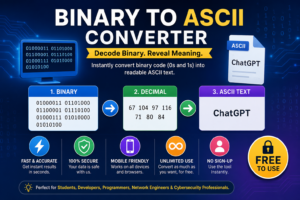
HelloBinary to ASCII Conversion Example
Consider this binary input:
01000011
01101000
01100001
01110100
01000111
01010000
01010100
Conversion:
| Binary | Decimal | ASCII |
|---|---|---|
| 01000011 | 67 | C |
| 01101000 | 104 | h |
| 01100001 | 97 | a |
| 01110100 | 116 | t |
| 01000111 | 71 | G |
| 01010000 | 80 | P |
| 01010100 | 84 | T |
Output:
ChatGPTThis demonstrates how computers convert machine-readable binary into human-readable words.
Why Use an Online Binary to ASCII Converter?
Manual conversion can be slow and error-prone.
Our online tool offers several advantages.
Instant Results:
Simply paste binary code and receive decoded ASCII text within seconds.
100% Accuracy
Manual calculations often introduce mistakes.
Automated conversion eliminates errors.
Completely Free
There are no subscription fees or hidden costs.
Use the tool as many times as needed.
No Software Installation
Everything works directly inside your web browser.
Compatible with:
- Windows
- macOS
- Linux
- Android
- iPhone
- Tablets
Privacy Protection
Your binary data is processed securely.
No uploaded information is permanently stored.
Common Uses of Binary to ASCII Conversion
A Binary to ASCII Converter has many real-world applications.
Programming
Developers frequently decode binary data while:
- Debugging applications
- Reading memory dumps
- Testing communication protocols
- Building embedded systems
Computer Science Education
Students use Binary to ASCII tools to understand:
- Binary arithmetic
- Character encoding
- Computer architecture
- Data representation
It provides an excellent visual demonstration of how computers process information.
Cybersecurity
Security professionals analyze binary files to:
- Decode malware
- Investigate suspicious files
- Analyze network traffic
- Read binary payloads
Binary decoding is a common task during digital forensics.
Networking
Many communication protocols transmit binary information.
Engineers decode packets into readable text for troubleshooting and diagnostics.
Electronics and Microcontrollers
Developers working with:
- Arduino
- Raspberry Pi
- ESP32
- Embedded systems
often read binary values generated by hardware devices.
Benefits of Using Our Binary to ASCII Converter
Our tool is designed for speed, simplicity, and reliability.
Fast Conversion
Large binary strings are decoded almost instantly.
User-Friendly Interface
No technical experience required.
Simply:
- Paste binary.
- Click Convert.
- Copy the result.
Mobile Responsive
Works perfectly on:
- Smartphones
- Tablets
- Desktop computers
Unlimited Usage
Convert unlimited binary strings without restrictions.
No Registration
Use the tool immediately without creating an account.
Binary vs ASCII
Many beginners confuse binary with ASCII.
Here’s the difference.
| Binary | ASCII |
|---|---|
| Uses only 0 and 1 | Uses letters and symbols |
| Machine-readable | Human-readable |
| Base-2 number system | Character encoding standard |
| Stores computer data | Displays readable text |
Binary represents raw information.
ASCII converts that information into meaningful characters.
Tips for Accurate Binary Conversion
Follow these best practices.
Always Use 8-Bit Groups
Example:
Correct
01000001Incorrect
1000001Separate Bytes
Adding spaces improves readability.
Example:
01001000 01100101 01101100 01101100 01101111Use Only 0 and 1
Any other character makes the binary invalid.
Verify Long Binary Strings
Large datasets should be checked before conversion.
Frequently Asked Questions
Is this Binary to ASCII Converter free?
Yes. Our Binary to ASCII Converter is completely free with unlimited usage.
Does the converter work on mobile devices?
Yes. The tool is fully responsive and works on Android phones, iPhones, tablets, laptops, and desktop computers.
Can I convert long binary strings?
Absolutely. The converter supports both short and large binary inputs.
Is my data secure?
Yes. Your binary data is processed securely, and we do not permanently store your information.
What happens if my binary is invalid?
If the binary contains characters other than 0 and 1 or incomplete byte groups, the converter may display an error or produce incorrect results. Ensure your binary is properly formatted before converting.
Related Online Tools
If you regularly work with binary and text conversions, you may also find these tools helpful:
- Text to Binary Converter
- ASCII to Binary Converter
- Binary to Text Converter
- Hex to ASCII Converter
- ASCII to Hex Converter
- Binary Calculator
- Unicode Converter
- Base64 Encoder & Decoder
These utilities make it easy to convert data between different encoding formats for programming, networking, and educational purposes.
| Anchor Text | URL |
|---|---|
| ASCII Table Reference | https://www.asciitable.com/ |
| ASCII Character Set (Wikipedia) | https://en.wikipedia.org/wiki/ASCII |
| Binary Number System (Wikipedia) | https://en.wikipedia.org/wiki/Binary_number |
| Unicode Official Website | https://home.unicode.org/ |
| MDN Web Docs – Text Encoding | https://developer.mozilla.org/en-US/docs/Web/API/TextDecoder |
Final Thoughts
A Binary to ASCII Converter is an essential utility for anyone working with digital data. It transforms complex binary code into readable text, making it easier to understand, debug, and analyze computer information. Whether you’re a student exploring computer science, a developer troubleshooting software, a cybersecurity professional examining encoded files, or simply curious about how computers communicate, this tool saves time and eliminates manual conversion errors.
Our Binary to ASCII Converter is fast, accurate, secure, and completely free to use. Simply paste your binary code, click Convert, and instantly receive readable ASCII text. With support for unlimited conversions, mobile devices, and all major browsers, it’s the ideal solution for quick and reliable binary decoding whenever you need it.