Binary Translator
Convert between binary code and English text seamlessly
How It Works
Binary to Text
Enter binary code (with or without spaces) and click “To Text” to convert to English.
Text to Binary
Type English text in the output box and click “To Binary” to convert back.
Sample Data
Use the “Load Sample” button to see an example of binary code.
🔢 Binary to English – The Complete Guide to Decoding Binary Code
Convert binary code to readable English text with our Binary to English converter. Learn how binary works, how ASCII maps binary to characters, and why decoding binary is essential.
📘 Introduction: What is Binary to English?
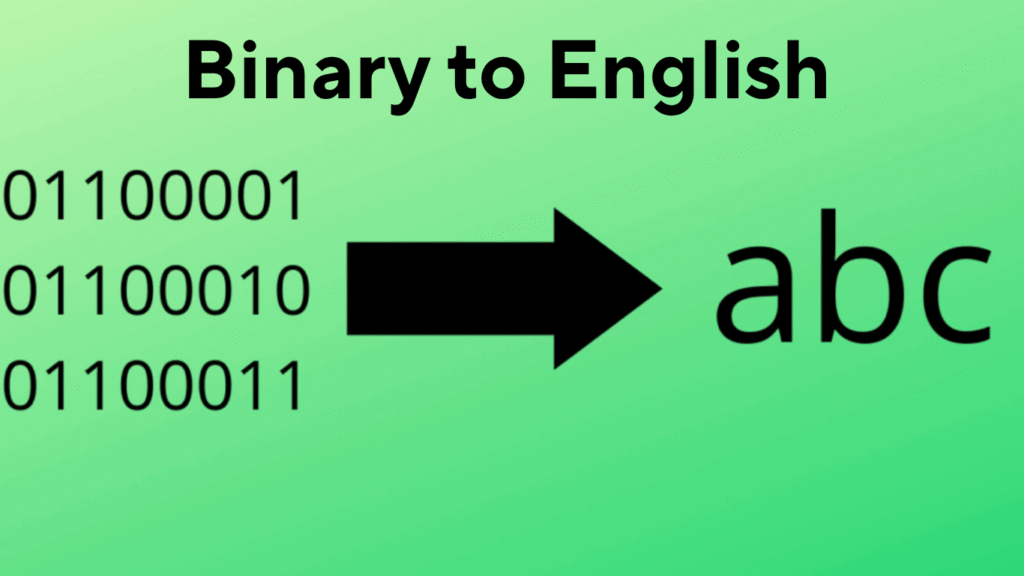
Computers communicate in binary – a language of 1s and 0s known as machine code. However, this language isn’t readable by humans. That’s where Binary to English conversion comes in. It helps translate binary digits into meaningful English letters, numbers, or punctuation.
For example:
- Binary:
01001000 01100101 01101100 01101100 01101111 - English:
Hello
This translation is based on ASCII (American Standard Code for Information Interchange) where each binary pattern represents a unique character.
⚙️ How Binary to English Conversion Works
To convert binary into English, we follow a simple logic:
- Binary is grouped into 8 bits (1 byte): Each group of 8 binary digits represents a single ASCII character.
- Each byte is mapped to ASCII values: For example,
01000001is 65 in decimal, which is the ASCII value forA. - Binary groups are translated to characters: The tool reads each binary byte and converts it into its respective English character.
🔠 Example Conversion:
- Binary:
01000001 01001010 01011001 - Step 1: Split into 8-bit groups
- Step 2: Convert to decimal →
65 74 89 - Step 3: Lookup ASCII →
A J Y - Final Output:
AJY
🧰 Why Use a Binary to English Converter?
Using an automated Binary to English Converter Tool provides several benefits:
- ✅ Saves time: No need to manually calculate or decode.
- ✅ High accuracy: Reduces human error in binary translation.
- ✅ Educational: Helps students understand ASCII and binary relationships.
- ✅ Useful for developers: Debugging, reverse engineering, or interpreting binary files.
🔍 Common Use Cases
- Educational tools in computer science classes
- Programming and debugging embedded systems or software
- Cryptography and puzzles in CTF (Capture the Flag) competitions
- Hidden messages or steganography
- Learning ASCII encoding
🛠️ Features to Look for in a Good Binary to English Converter
When choosing a conversion tool, ensure it supports:
| Feature | Description |
|---|---|
| 🧠 Bulk input | Paste large binary strings for quick conversion |
| 🔁 Real-time output | See results instantly as you type |
| 🧮 Byte-by-byte breakdown | Understand each conversion step |
| 🎓 ASCII chart integration | View the full ASCII table for learning |
| 🔐 Secure environment | No data saved or tracked |
| 📱 Mobile & desktop responsive | Convert on any device, anytime |
🔄 Manual Binary to English Conversion Steps (For Learning)
If you want to do it manually, here’s how:
- Write or paste binary code (e.g.,
01000010) - Split into 8-bit chunks: One character = one byte
- Convert each byte to decimal:
01000010= 66 - Match decimal with ASCII value: 66 =
B - Repeat for every binary group
You can use online ASCII tables for quick reference.
🧑💻 Example Tool: Free Binary to English Converter
Try Our Free Tool: Binary to English Converter – ConvertHelping.com
Paste your binary code, hit convert, and get instant English output. Designed for speed, accuracy, and ease of use.
🔗 Related Tools You Might Like:
- ✅ English to Binary Converter
- ✅ ASCII to Binary Converter
- ✅ Binary Translator
- ✅ Hex to ASCII Converter
🧠 FAQs – Binary to English
❓ What is binary code?
Binary code is the base-2 numeric system used by computers to represent all types of data using only 0s and 1s.
❓ How many bits are in one character?
Typically, one character in ASCII uses 8 bits, also called a byte.
❓ Is binary to English conversion reversible?
Yes. You can also convert English to binary using the reverse process.
❓ Is this the same as Unicode?
No. ASCII is a subset of Unicode. Most Binary to English converters use ASCII, which supports 128 characters.
🏁 Conclusion
The Binary to English conversion process is a crucial part of understanding how digital systems communicate. Whether you’re a student, developer, or just curious, learning this translation builds a solid foundation in computer science and digital communication.
Use an online Binary to English converter to make decoding quick and accurate, especially when dealing with longer binary strings or studying ASCII encoding.